
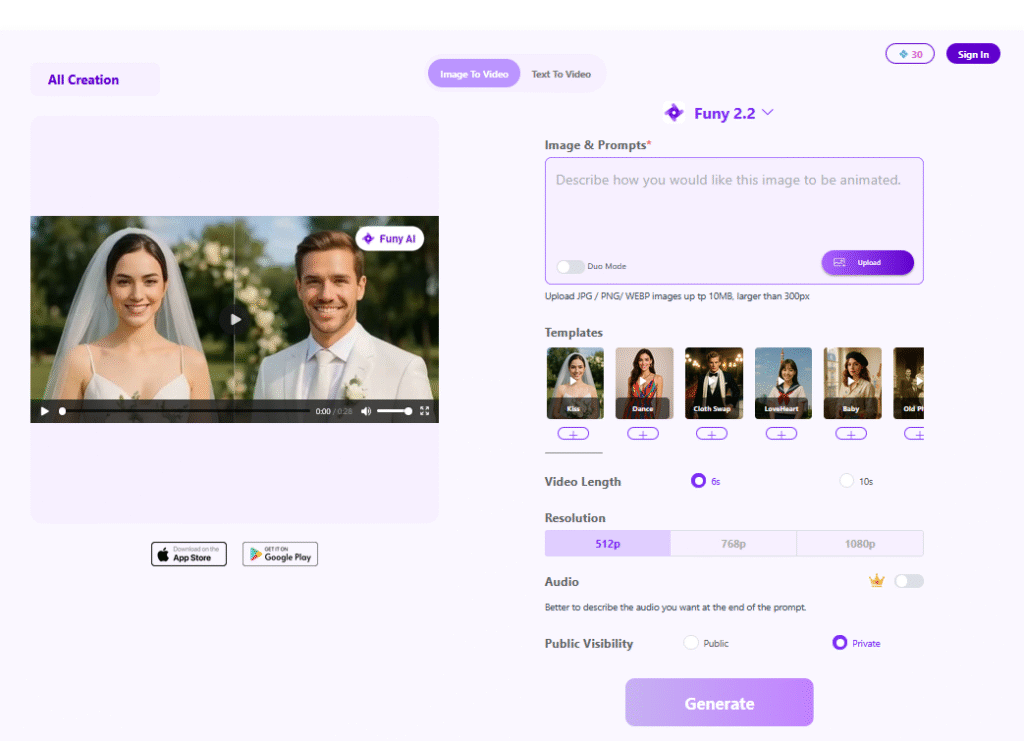
Website: funy.ai/
Overview
Funy AI is a practical ai image/video editing that focuses on getting a clean result fast—without a complicated setup. It’s built for people who want a straightforward workflow and predictable output.
Details
Funy AI is a credits-based toolbox for quick image and video transformations—ideal for users who want results fast without a full creative suite. Instead of opening heavy software for a small fix, you upload an image and run a focused tool: watermark removal, unblur, enhancement, upscaling, background removal, or style filters. It also offers a variety of social-oriented video effects.
The credits model is easy to understand: each action consumes credits, and different tasks have different costs. That keeps spending predictable and makes it simple to scale up when you have a burst of work. Funy AI also promotes free starter credits (often usable without full sign-up for some tools), which lowers friction for first-time users who just want to test quality.
Where tools like this shine is in lightweight production pipelines—e‑commerce listings, social thumbnails, profile images, and quick marketing assets. You can standardize visuals: cleaner backgrounds, sharper subjects, and more consistent quality across uploads. If you run a content-heavy site, even small improvements like better clarity and cleaner cutouts can make pages feel more polished.
To get the best results, start with clean inputs. Watermark removal works best when the watermark doesn’t cover critical details; unblur is strongest on mild blur (not heavy motion blur); and background removal improves when there’s clear separation between subject and backdrop. A sensible workflow is: enhance first, remove background second, then upscale last—so each step builds on a cleaner image.
Used as a production helper rather than a “make anything perfect” button, Funy AI can save time and keep visual assets looking consistently professional.
Practical note: test with a small real job first to judge output consistency and whether it fits your workflow. Practical note: test with a small real job first to judge output consistency and whether it fits your workflow. Practical note: test with a small real job first to judge output consistency and whether it fits your workflow. Practical note: test with a small real job first to judge output consistency and whether it fits your workflow. Practical note: test with a small real job first to judge output consistency and whether it fits your workflow. Practical note: test with a small real job first to judge output consistency and whether it fits your workflow. Practical note: test with a small real job first to judge output consistency and whether it fits your workflow. Practical note: test with a small real job first to judge output consistency and whether it fits your workflow.