
Website: www.pdfgear.com/
Overview
PDFgear is a practical pdf editing that focuses on getting a clean result fast—without a complicated setup. It’s built for people who want a straightforward workflow and predictable output.
Details
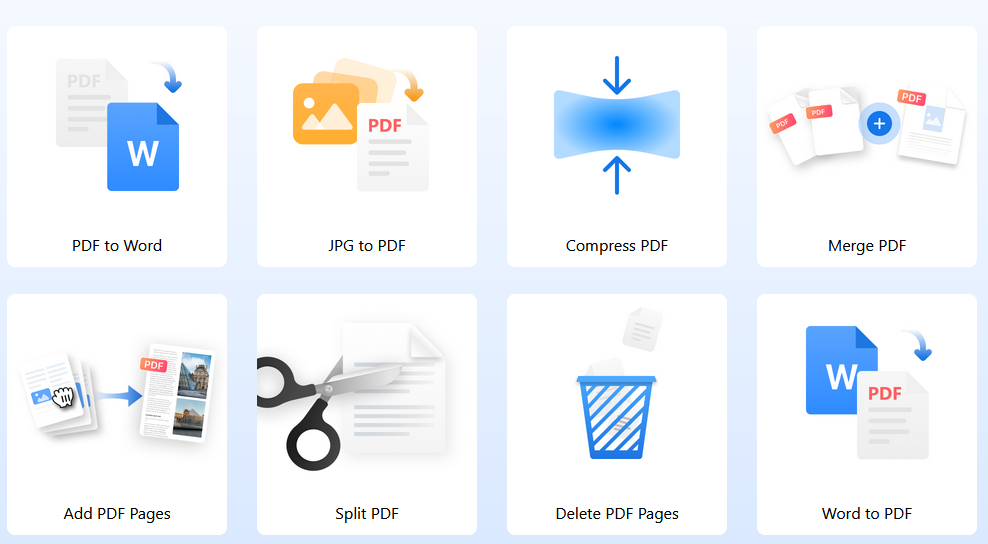
If you deal with PDFs regularly—forms, contracts, statements, scanned pages—PDFgear is designed to keep the “small PDF jobs” from turning into a time sink. The core workflow is simple: open a file, edit or annotate what you need, then export without a long setup. Typical tasks include merging and splitting pages, compressing files for email, converting PDFs to Word/Excel, adding signatures, or doing quick text edits.
Where PDFgear stands out is the built‑in AI helper. Instead of manually hunting through a long PDF, you can ask questions about the document content, summarize sections, or locate key clauses and figures faster. That can be useful when you’re reviewing multi‑page reports or trying to confirm whether a document mentions a specific date, amount, or policy term. In a busy office environment, that “find it fast” capability can reduce back‑and‑forth—while still letting you verify the exact paragraph yourself.
PDFgear is commonly positioned as a free option, which makes it a good default tool for freelancers, students, and small teams that don’t want a full enterprise PDF suite. The tradeoff is that it’s aimed at practical everyday tasks rather than heavy compliance features like centralized admin and audit trails. If your goal is fast editing, conversion, and lightweight AI assistance in one place, it’s a solid, low‑friction pick.
Best practice: treat AI outputs as navigation, not authority. Use the AI to jump to the right place, then confirm details directly in the source text before you rely on them.
Practical note: test with a small real job first to judge output consistency and whether it fits your workflow. Practical note: test with a small real job first to judge output consistency and whether it fits your workflow. Practical note: test with a small real job first to judge output consistency and whether it fits your workflow. Practical note: test with a small real job first to judge output consistency and whether it fits your workflow. Practical note: test with a small real job first to judge output consistency and whether it fits your workflow. Practical note: test with a small real job first to judge output consistency and whether it fits your workflow. Practical note: test with a small real job first to judge output consistency and whether it fits your workflow. Practical note: test with a small real job first to judge output consistency and whether it fits your workflow.